A living world
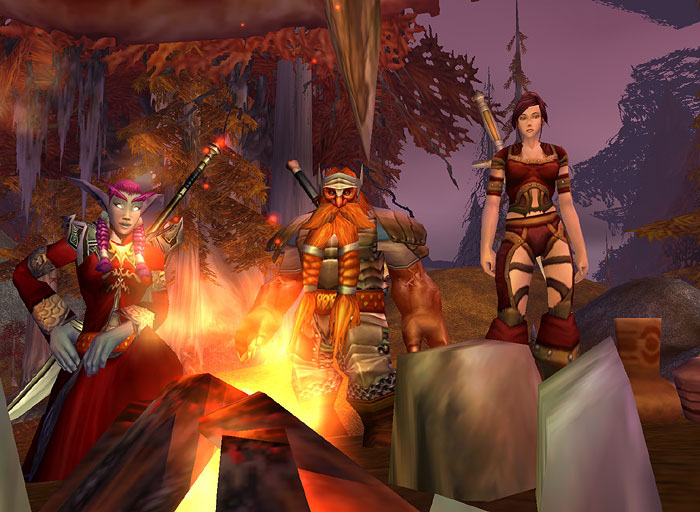
AzerothCore Playerbots keeps 600 automated characters active across the world. They level, travel, join guilds, group, and help the realm feel populated even when only a few people are online.
A private Wrath of the Lich King realm
The realm and its downloads are private. Complete this before downloading or launching anything.
Olorin will invite the email address you plan to use with Tailscale.
Open Tailscale and use that same email address. Wait until its status says Connected.
The host should appear as ea at 100.76.62.56.
This is the recommended route. The client already contains the selected HD graphics, Zygor, and RealmForge server configuration.
Extract the archive to a permanent folder with enough free space. Do not run the game from inside the ZIP.
Run Wow.exe. Do not use Launcher.exe, Battle.net, or an updater.
The realmlist, HD patch selection, and Zygor folders are already configured.
Start with the clean ChromieCraft 3.3.5a client, configure RealmForge, then add the hosted HD and Zygor packages only if you want them.
Open Data\enUS\realmlist.wtf in Notepad and replace its contents with:
set realmlist 100.76.62.56Copy the selected Patch-*.MPQ files into the client's Data folder. Do not combine Patch-X with Patch-T: Patch-X overwrites Patch-T's tree textures with lower-resolution versions.
Skip this section when using the recommended RealmForge client because Zygor is already installed. These steps are for the clean ChromieCraft client.
Exit the game completely before changing addon files.
In the WoW folder, open Interface\AddOns and remove any old ZygorGuidesViewer or ZygorTalentAdvisor folders. Mixing releases causes loading problems.
World of Warcraft\Interface\AddOnsOpen the Zygor ZIP and copy only the ZygorGuidesViewerRM folder into Interface\AddOns. Do not copy the repository's outer folder.
The .toc file must be at this exact path. If another ZygorGuidesRemaster folder appears between AddOns and ZygorGuidesViewerRM, move the inner folder up one level.
Interface\AddOns\ZygorGuidesViewerRM\ZygorGuidesViewerRM.tocLaunch WoW, click AddOns on the character-selection screen, enable Zygor Guides Viewer Remaster, and select Load out of date AddOns if WoW flags it.
Enter the world. Left-click the Zygor minimap icon to show the viewer, or right-click it to open the Guide Manager and select a leveling route.
Run Wow.exe directly. Never patch this client through Blizzard or Battle.net.
RealmForge accounts are created on the server, not from the game client. Use the username and password supplied by Olorin. The username is not a Battle.net email address.
AzerothCore Playerbots keeps 600 automated characters active across the world. They level, travel, join guilds, group, and help the realm feel populated even when only a few people are online.
AutoBalance adjusts dungeon and raid encounters around the number and strength of players present, making group content practical for a small private server.
The bot population was raised and tested in stages before being fixed at 600. Level brackets are disabled so the world maintains activity across the full leveling range.
The prepared RealmForge client includes selected higher-resolution character, creature, environment, city, lighting, and tree assets. The compatible patch choices are already made for you.
The matching Zygor remaster provides in-game WotLK quest and leveling routes without changing the server itself.